

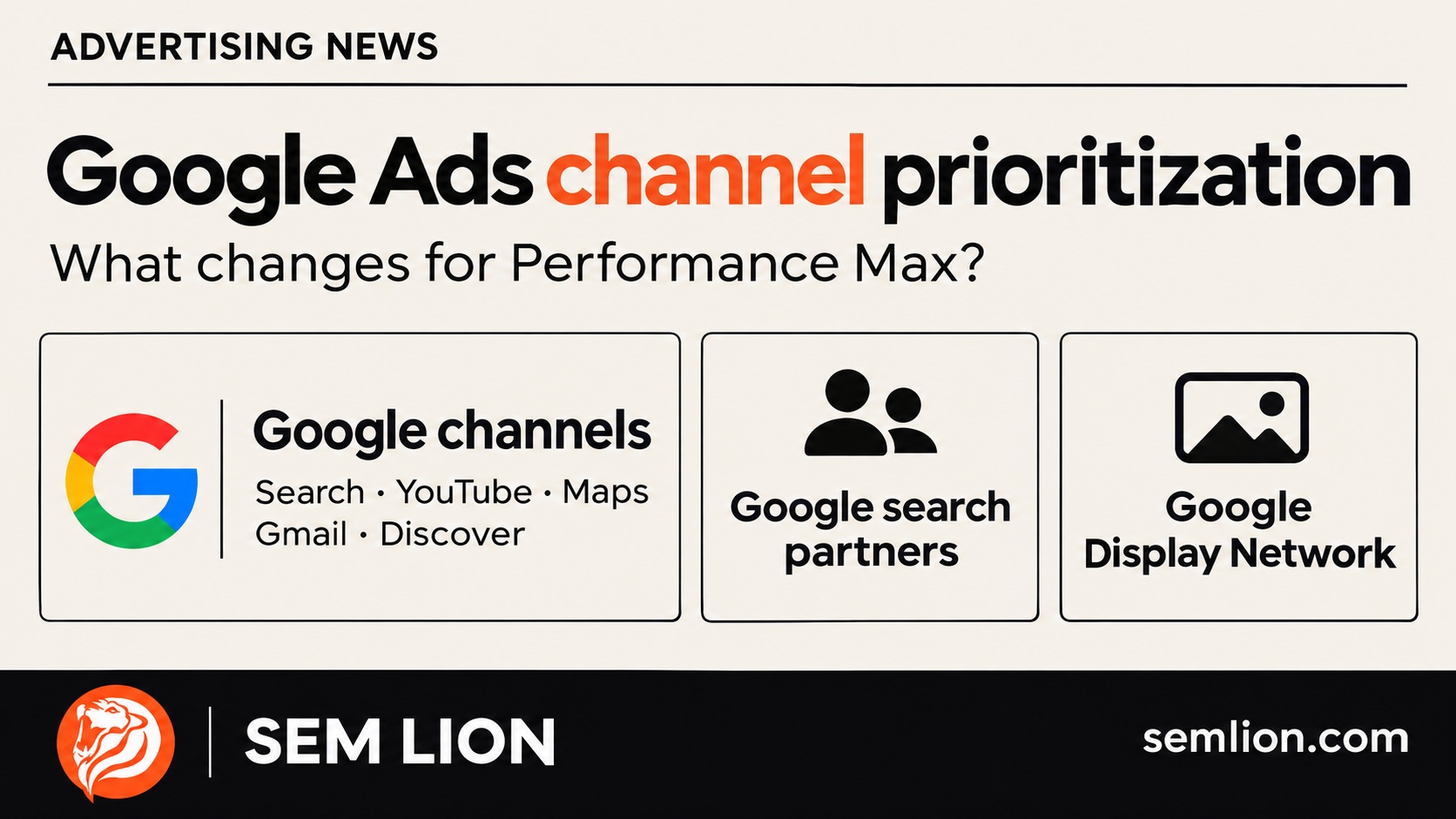
Google Ads channel prioritization gives advertisers a new way to guide campaign spending. For Performance Max, the important detail is the level at which that control applies: channel groups, rather than a separate adjustment for every Google surface.
Google announced channel prioritization and budget allocation on 14 October 2026, with a progressive rollout beginning on 15 October. The update deserves a place in your next account review, particularly if you previously excluded partner inventory or run Search campaigns with Display Expansion.
It also needs a careful explanation. A picture showing individual sliders for Search, YouTube, Maps, Gmail and Discover can suggest more control than Performance Max actually provides. The useful question is which decision the new settings let you make, and what evidence you need before making it.
What is Google Ads channel prioritization?
Channel prioritization lets you assign eligible inventory to High or Low priority. Budget allocation is a separate setting for Low-priority inventory. Think of the first as a funding preference and the second as a spending boundary.
Google’s announcement presents the change as an alternative to deciding only whether a network is on or off. Search Engine Land’s report also highlights that added flexibility. Neither control removes the need to understand the conversions your account records.
For a business owner, the distinction matters. A budget setting can influence where money goes, but it cannot tell you whether an enquiry was genuine, whether the sales team followed it up or whether the eventual customer was profitable. Those questions belong beside the campaign report.
Which channels can you prioritize in Performance Max?
Performance Max has three groups: Google channels, Google search partners and the Google Display Network. Search, YouTube, Maps, Gmail and Discover sit together within Google channels.
| Group | What the grouping means |
|---|---|
| Google channels | Search, YouTube, Maps, Gmail and Discover share one priority. |
| Google search partners | A separate priority can apply to search partner inventory. |
| Google Display Network | A separate priority can apply to Display Network inventory. |
This is the detail to preserve in a brief, presentation or account handover. A manager asking to “increase YouTube’s priority inside PMax” is asking for a different control from the one described here. Clarify the objective before anyone changes settings: more qualified demand, a particular format, a controlled network test or a different campaign structure.
Is budget allocation a hard spending cap?
Positive allocation percentages are best-effort limits. They are calculated against the campaign’s average daily budget, rather than its actual spend that day. A Low-priority allocation of 0% prevents spend on that group.
Hypothetical example: a Doha retailer has an average daily campaign budget of QAR 800 and chooses a 10% allocation for a Low-priority group. The reference amount is QAR 80. If the campaign spends QAR 500 on a particular day, the calculation does not become QAR 50. The positive allocation remains best effort, so the retailer should review actual delivery rather than treat QAR 80 as an inviolable ceiling.
This example illustrates the arithmetic; it is not a recommended percentage. A suitable test amount depends on the business’s margins, reporting quality, conversion delay and willingness to investigate disappointing results. A small allocation still needs someone responsible for reading the results.
How do bidding targets affect the result?
For target-based bidding, priority works within the campaign’s performance target. When a Target CPA or Target ROAS campaign is not constrained by budget, prioritization alone generally does not redistribute spend. A configured allocation can still apply.
The practical implication is to avoid treating a quiet response as a broken feature. First ask whether the campaign had a budget constraint that the preference could resolve. Then check whether the reporting window is long enough for the conversions you care about to arrive.
SEM Lion’s recommendation is to write the expected effect before changing anything. “Reduce unqualified enquiries from this inventory while protecting qualified lead volume” is a testable business objective. “Make the campaign better” gives the reviewer no clear basis for keeping or reversing the change.
Do Search, Shopping and Demand Gen use the same controls?
The available groups depend on campaign type. Search separates Google Search, search partners and Display; Shopping separates Google Search and search partners. Demand Gen has Google channels and Display Network priorities, but its budget allocation feature is currently unsupported.
Check the current Google Ads Help documentation and the actual client account before implementing a recommendation. Availability remains phased. A setting visible in one advertiser’s account does not prove that every account in Qatar, Romania or another market has received it.
Where should you check account defaults and campaign overrides?
Start in the client account’s Account settings and find Channel Prioritization. Campaign settings can override those defaults. Shared-budget arrangements need particular attention because a decision can affect more than one campaign.
Before saving anything, record the campaign name, the current setting, where it was inherited from and the intended change. Keep a dated screenshot or export with the account review. This simple record is useful when several people manage an account and a later reviewer needs to understand why delivery changed.
Avoid making a broad account default your first experiment unless every affected campaign has been reviewed. A brand campaign, a seasonal promotion and a campaign selling a higher-margin product may have different commercial priorities even when they share an account.
What should advertisers review before changing priorities?
Review the quality of the outcome, the reliability of the measurement and the scope of the change. The following is SEM Lion’s suggested review process, rather than a universal Google prescription.
- Define the valuable result. Identify the sale, qualified enquiry, booked appointment or other outcome that matters. Check whether the conversion report measures that outcome or merely an earlier interaction.
- Choose comparable evidence. Use consistent dates and the same conversion definition. Note promotions, stock shortages, pricing changes and sales-team interruptions that could explain differences.
- Describe the inventory concern. A low-cost lead deserves investigation if it rarely becomes a useful conversation. An expensive lead may still be valuable when it regularly becomes a customer. Write down what you know and what remains unverified.
- Limit the experiment. Choose the campaign and group being reviewed. Record the proposed setting, the business reason, the review date and the condition that would justify reversing it.
- Review the whole business effect. Examine qualified volume and cost together. Saving money while losing commercially useful demand may fail the test, even if a narrow platform metric improves.
Keep the first review small enough that someone can explain the result. Changing the budget, target, creative, landing page and channel priorities together makes it much harder to identify which decision mattered. Where a structured experiment is appropriate, check Google’s current eligibility rules before designing it.
For a lead-generation business, a short sales-feedback sheet can be more useful than another dashboard chart. Record which enquiries were relevant, which were contacted, which became appointments and why others were rejected. Use aggregated business feedback; there is no need to paste customers’ personal information into a public AI assistant.
What changes for Search Display Expansion in February 2027?
Search campaigns using Display Expansion will transition to the new prioritization model from February 2027. Google says advertisers wishing to retain the existing configuration can set Display Network to Low priority with a 50% daily budget allocation.
That percentage preserves a documented configuration; it is not a blanket recommendation to allocate half of every Search budget to Display. Google also notes that Display will no longer serve for Search campaigns using Target Impression Share. Read the Display Expansion guidance for the transition details.
Give this a named owner before the deadline. An account audit should list affected campaigns, identify anyone who needs to approve a change and record the intended configuration. Leaving the review until an unexpected spending pattern appears creates unnecessary uncertainty.
Common questions about channel prioritization
Does Low priority mean a channel is switched off?
No. Low priority describes its position relative to other eligible inventory. If your objective is to stop spend, review the relevant exclusion or 0% allocation setting and verify the saved configuration.
Should every advertiser reduce partner-network spending?
No. The decision needs account evidence and a commercial objective. A network label alone does not establish whether its customers are valuable. Investigate the quality and cost of the outcomes before choosing a setting.
Will these controls automatically improve ROAS?
No improvement is guaranteed. If revenue is incomplete or unverified, start with an outcome you can substantiate. A confident recommendation built on unreliable sales values is still unreliable.
Should this be changed through an automation tool?
Confirm the available implementation first. Google currently directs advertisers to Google Ads or Search Ads 360, with API and Editor support described as forthcoming. A tool’s general campaign access does not establish support for this setting.
Practical prompts for your next account review
Use these prompts with anonymized campaign information. They help organize a review; they do not authorize an assistant to change your account.
Prompt: establish the decision
Review this campaign summary: [campaign type, bidding strategy, budget constraint, conversion definition and reporting dates]. What business question should a channel-priority test answer? Separate observed facts, plausible explanations and missing evidence. Ask for any information needed before recommending a change.
Prompt: prepare a controlled test
Using [current groups, priorities, allocations and relevant performance], draft one limited test. State the hypothesis, affected campaign, success measure, conversion-delay allowance, review date and reversal condition. Label assumptions. Do not assume that the cheapest recorded conversion is the best customer.
Prompt: verify the current rules
Check Google’s current official documentation for [campaign type and account setup]. Confirm available groups, allocation support, override behavior and relevant restrictions. Link the sources, state the check date and flag anything that requires verification inside the client account.
What should your business do next?
Put channel prioritization on the next account-review agenda. Bring the campaign settings, the conversion definition and the sales feedback into the same conversation. Decide whether there is a specific problem to investigate before deciding that a new setting needs to be changed.
SEM Lion’s Google Ads and PPC management starts with the connection between campaign activity and business outcomes. For a related measurement perspective, read our explanation of Target CPA and Target CPC in ChatGPT Ads. For creative testing, see the SEM Lion guide to Meta Ads Creative Studio.
Reporting and official documentation checked on 22 November 2026. This is an original SEM Lion explanation and editorial review framework. The examples are hypothetical; no client results or performance improvements are claimed.
Where can you go next?
If your next account review needs a clearer connection between campaign settings and commercial outcomes, explore SEM Lion’s PPC management services. For another part of the advertising workflow, read our Meta Ads Creative Studio guide. Retail advertisers can also use our Google Universal Cart retailer checklist to separate new platform capabilities from assumptions about the data available to their business.